

|
|
||
|
|||
|
||||||||||||||||||||||||||||||||||||||||||||||||||||||||||||||
|
||||||||||||||||||||||||||||||||||||||||||||||||||||||||||||||
[ Windows 10 / Windows 10 Pro ] |
|
|||||||||||||||||||||||||||||||||||||||||||||||||||||||||||||
[ The explanation is based on Windows 10/Windows 10 Pro. ] ※ Checked version : 1511/1607/1703/1709/1803/1809/1903/1909/2004/20H2/21H2/22H2 [ How to check your Windows power settings ] ● How to check Windows power settings from "Settings" on the Start button ● How to check your Windows power settings from the Control Panel
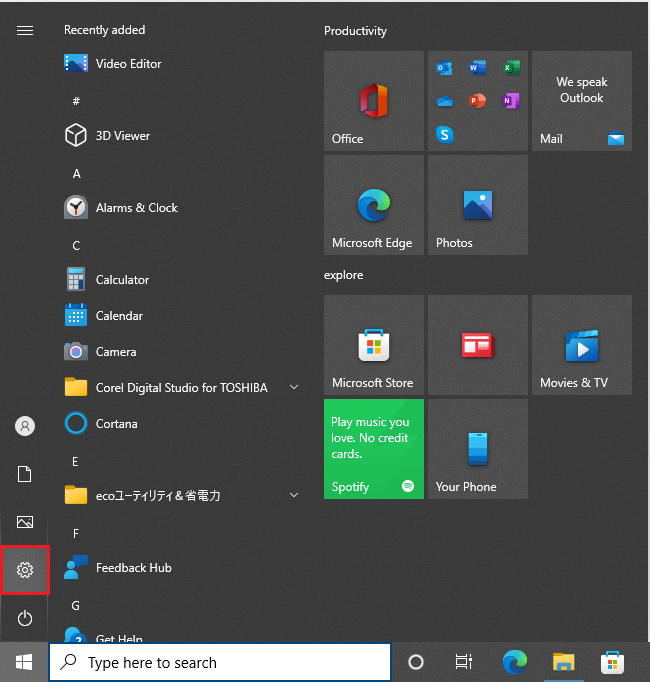
◆ [ How to check Windows power settings from "Settings" on the Start button ] 1. Click the Start button.
2. Click "Settings" in the menu that appears.
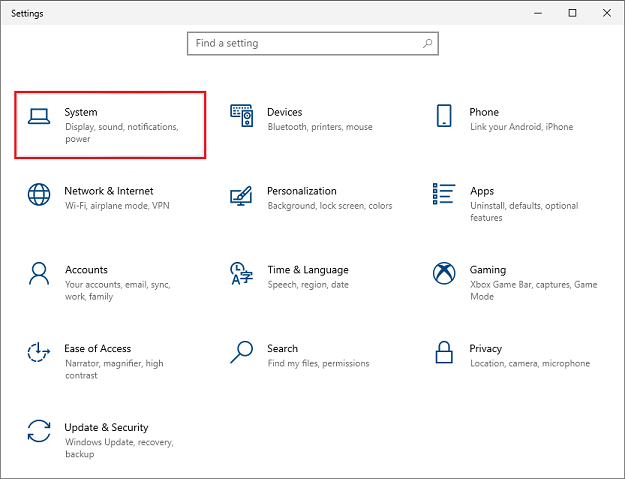
3. When the "Windows Settings" screen appears, click "System."
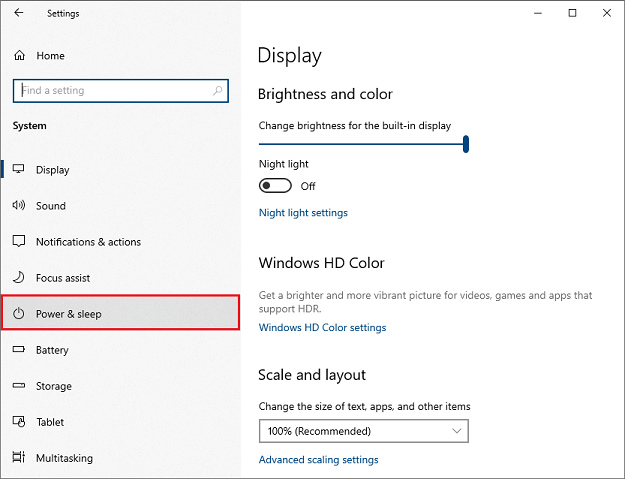
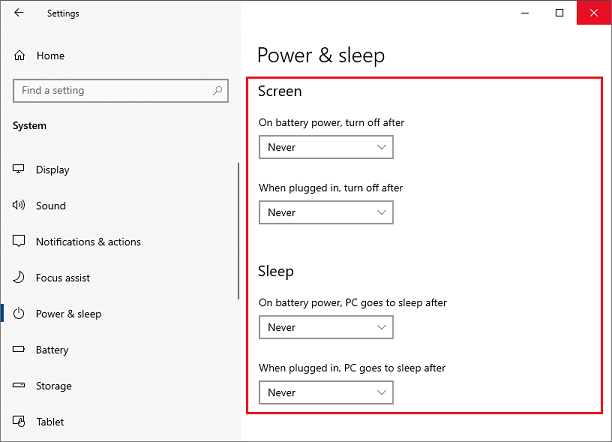
4 When the "System" screen appears, click "Power & Sleep."
5. Check the "Display" and "Sleep" settings, then click the "Close (x)" button.
The above is how to check Windows power settings from "Settings" on the Start button.
◆ [ How to check your Windows power settings from the Control Panel ] 1. Click the Start button.
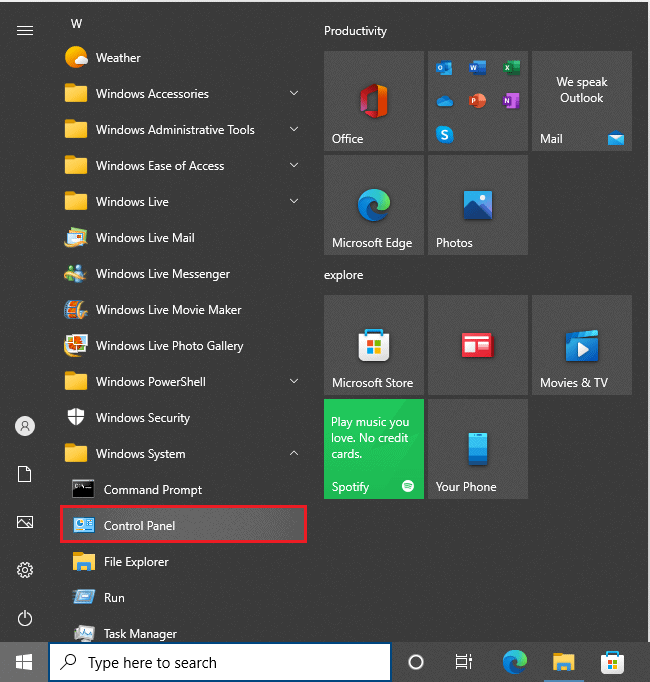
2. Click "Control Panel" under "Windows System."
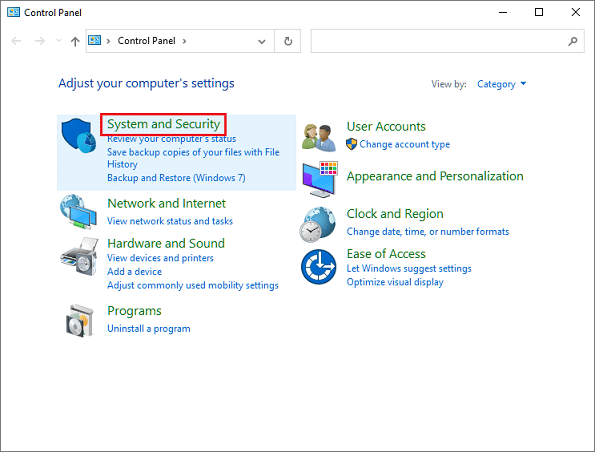
3. When the Control Panel screen appears, click System and Security.
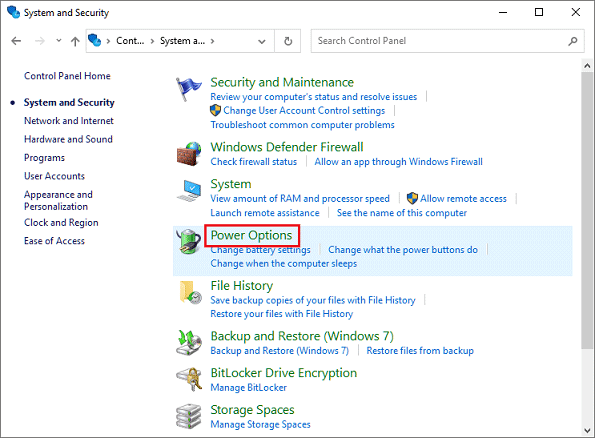
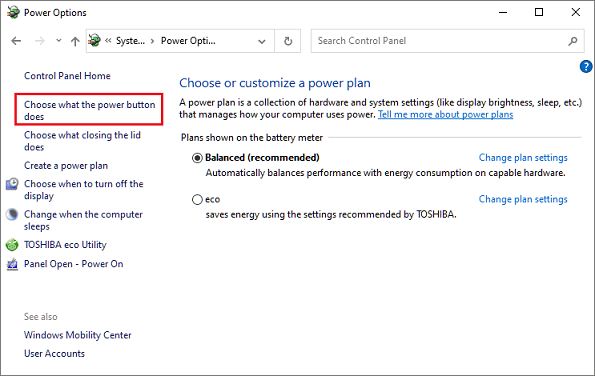
4. When the "System and Security" screen appears, click "Power Options."
5. When the "Power Options" screen appears, click "Choose what the power buttons does."
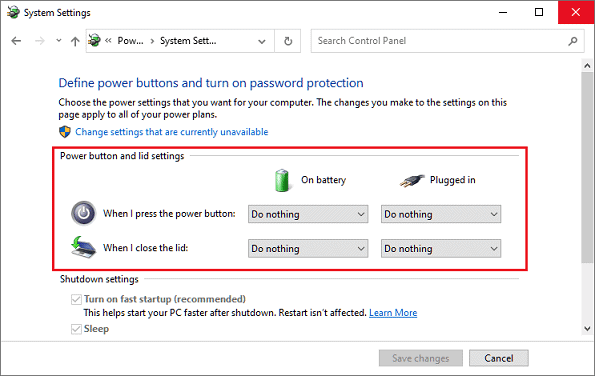
5. Check the settings for "Define power buttons and enable password protection" and click the "Close (x)" button.
The above is how to check Windows power settings from "Settings" on the Start button. |
||||||||||||||||||||||||||||||||||||||||||||||||||||||||||||||