

|
|
||
|
|||
|
||||||||||||||||||||||||||
|
||||||||||||||||||||||||||
[ Windows 8.1 / Windows 8.1 Pro ] |
|
|||||||||||||||||||||||||
[ The explanation is based on Windows 8.1/Windows 8.1 Pro. ] [ How to shut down Windows ] ● How to shut down Windows using the Power Options on the Start screen ● How to shut down Windows by right-clicking the Start button on the taskbar
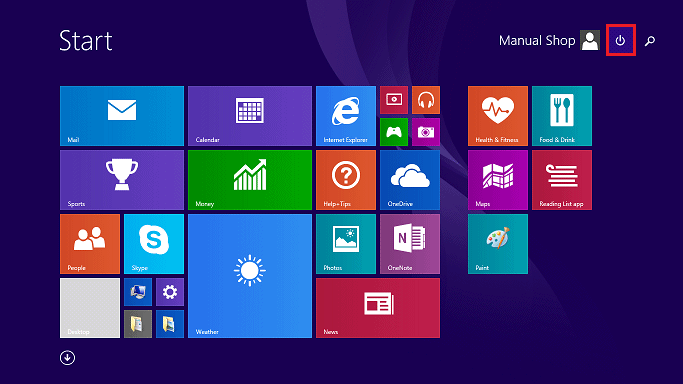
◆ [ How to shut down Windows using the Power Options on the Start screen ]
1. Click "Power Options" on the Start screen.
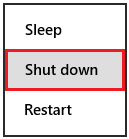
2. In the menu that appears, click Shutdown.
That's how to shut down Windows.
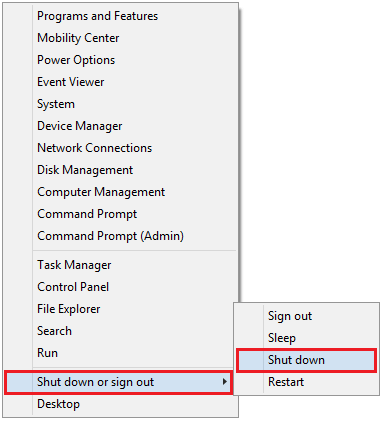
◆ [ How to shut down Windows by right-clicking the Start button on the taskbar ] 1. Right-click the Start button on the desktop.
2. In the menu that appears, click "Shut down or sign out" and then "hutdown"
That's how to shut down Windows. |
||||||||||||||||||||||||||
Copyright (C) 1998 - 2026 Manual Shop. All rights reserved |
||||||||||||||||||||||||||