

|
|
||
|
|||
|
||||||||||||||||||||||||||
|
||||||||||||||||||||||||||
[ Windows 10 / Windows 10 Pro ] |
|
|||||||||||||||||||||||||
[ The explanation is based on Windows 10/Windows 10 Pro. ] ※ Checked version : 1511/1607/1703/1709/1803/1809/1903/1909/2004/20H2/21H2/22H2 [ How to shut down Windows ] ● Click the Start button and then click Power to shut down Windows. ● How to Shut Down Windows by Right-Clicking the Start Button
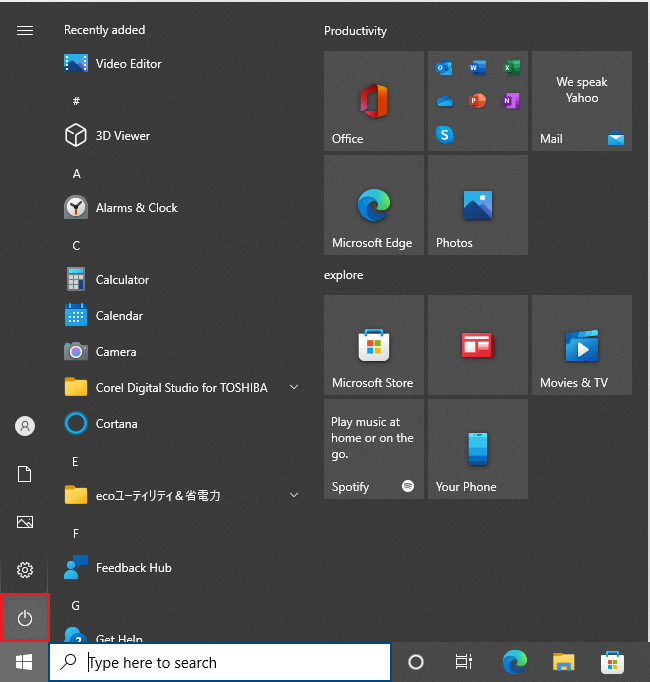
◆ [ Click the Start button and then click Power to shut down Windows. ] 1. Click the Start button on the desktop.
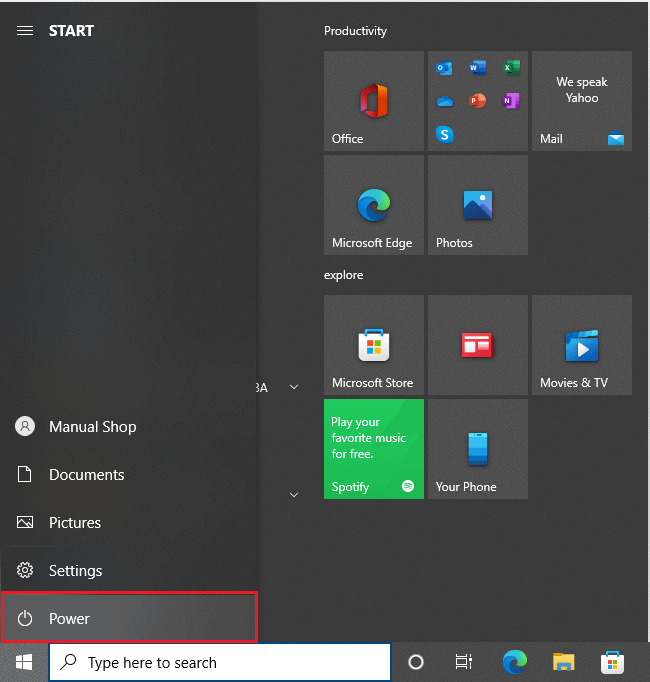
2 Click "Power" in the menu that appears.
3. In the menu that appears, click "Power."
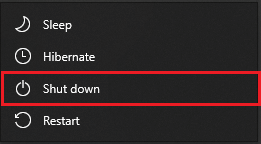
4. In the menu that appears, click Shutdown.
That's how to shut down Windows.
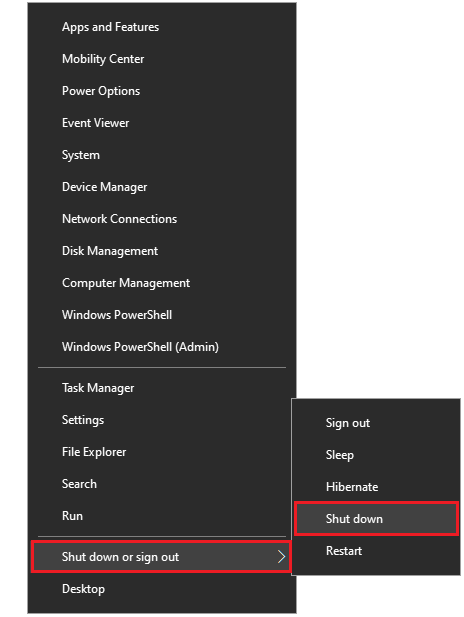
◆ [ How to Shut Down Windows by Right-Clicking the Start Button ] 1. Right-click the Start button on the desktop.
2. In the menu that appears, click "Shut down or sign out" and then "Shut down."
That's how to shut down Windows. |
||||||||||||||||||||||||||